Object detection
YOLO11 (EfficientNMS end2end, GPU NMS) and YOLO26 (natively NMS-free) served side by side from one Triton instance. POST /detect, /detect/batch; pick a model per request.
Faces
SCRFD-10G detection with 5-point landmarks plus ArcFace 512-dim embeddings: detect, recognize, 1:1 verify, 1:N identify and similarity search under /faces.
Embeddings and visual search
MobileCLIP image and text embeddings (512-dim) indexed in OpenSearch k-NN: image-to-image, text-to-image, face, OCR-text and object-level search.
OCR
PP-OCRv5 text detection and recognition behind a Triton Python-backend (BLS) pipeline: POST /ocr/predict and /ocr/batch, plus text search over ingested images.
Combined analysis and ingest
POST /analyze runs detection, faces, CLIP and OCR on one image; /ingest indexes everything into OpenSearch, one image, a batch of up to 64, or a server directory.
Curation backend
A domain-agnostic active-learning subsystem under /curation: item ingest, clustering, review queues, VLM-assisted labeling, region cascades, export, training and model comparison.
TensorRT on Triton
Every core model is exported to TensorRT FP16 with dynamic batching; Triton runs in explicit model-control mode so models load, unload and promote at runtime.
Monitoring and MLOps
An opt-in monitoring profile: Prometheus scraping Triton, the API, host and DCGM GPU metrics, with alert rules; provisioned Grafana dashboards; Loki for container logs. MLflow tracks every training run's parameters, per-epoch metrics, lineage and artifacts.
How it works
Export models make download-models export-models
Fetch base weights and compile them to TensorRT engines once; Triton loads the cached engines on every later start.
Run inference /detect /faces /embed /ocr /analyze
Stateless core routes: send an image, get normalized boxes, landmarks, 512-dim embeddings or text back.
Ingest and index /ingest, /curation/ingest/*
Index images into OpenSearch for search, or into the curation item pool, where an item detector proposes crops.
Cluster and review /curation/clusters, /curation/review/{tab}
Group crops by PE-Core embedding similarity and work active-learning review queues, most-uncertain first.
Label /curation/crops/*, /curation/vlm/*
Label by hand or with an OpenAI-compatible VLM's suggestions; every write is undoable and keeps its provenance.
Export /curation/export/yolo
Freeze a test holdout and write a deterministic YOLO-format dataset with a checksummed manifest.
Train and compare /curation/train/*, /curation/bakeoff/*
Preflight and launch a training run on the trainer container, then score it against baselines per class.
Promote /curation/train/promote/{job_id}
Serve the winning model from Triton; its predictions feed the next review cycle's disagreement queue.
Walk through the whole loop in the curation workflow guide.
See it in action
Sample imagery: COCO val2017 and Open Images (Creative Commons licensed photographs). Credits
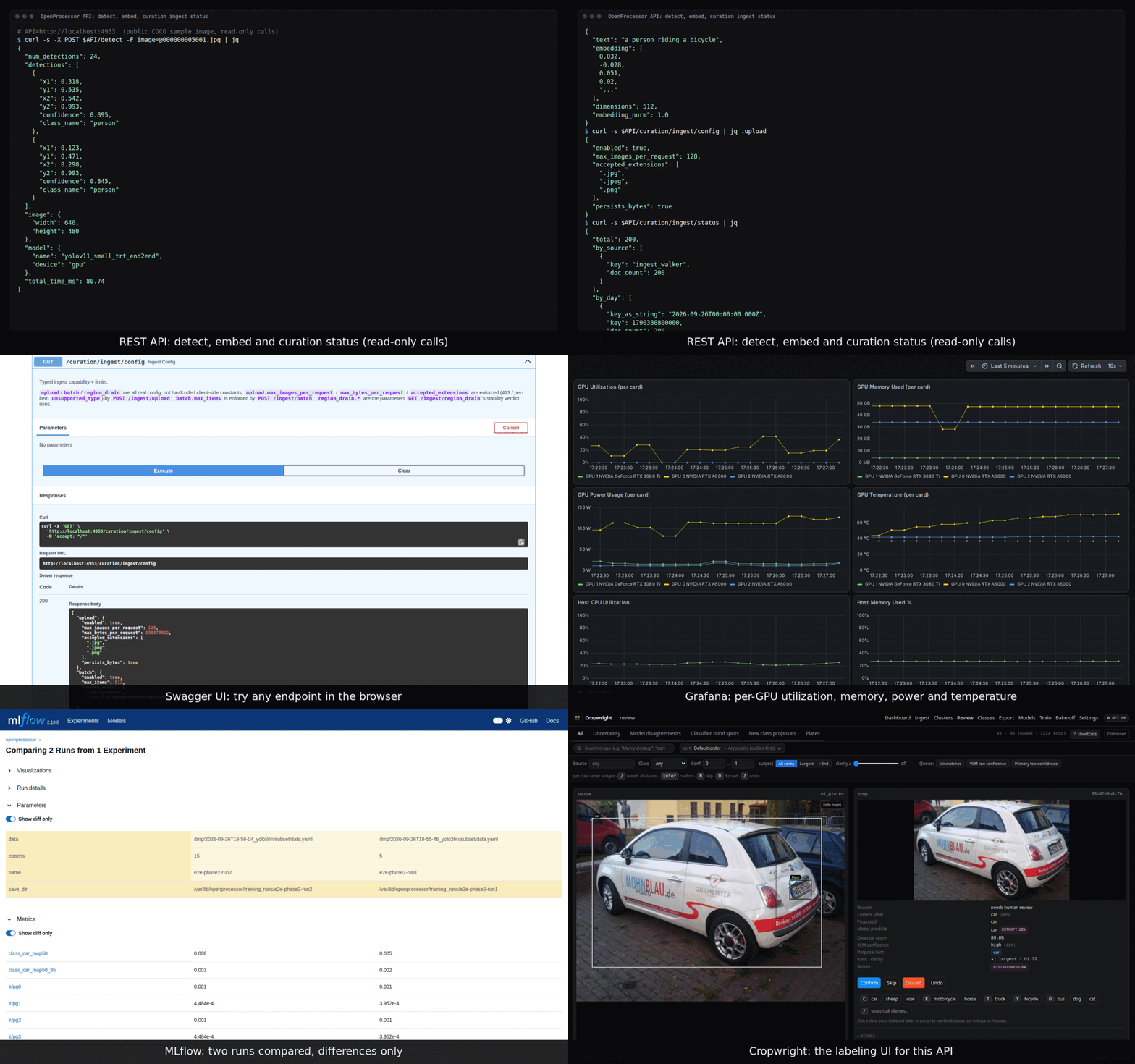
See the backend in action
Captured from a stack holding only public sample data (COCO val2017). The tools shown are Swagger UI, Grafana, Prometheus, MLflow and OpenSearch Dashboards, each under its own license. Credits
Quick start
Clone, run the setup script, and the core API is up on port 4603.
git clone https://github.com/davidamacey/OpenProcessor.git && cd OpenProcessor
./scripts/setup.sh --yes
curl http://localhost:4603/health
# opt-in curation workers
docker compose --profile curation up -d